
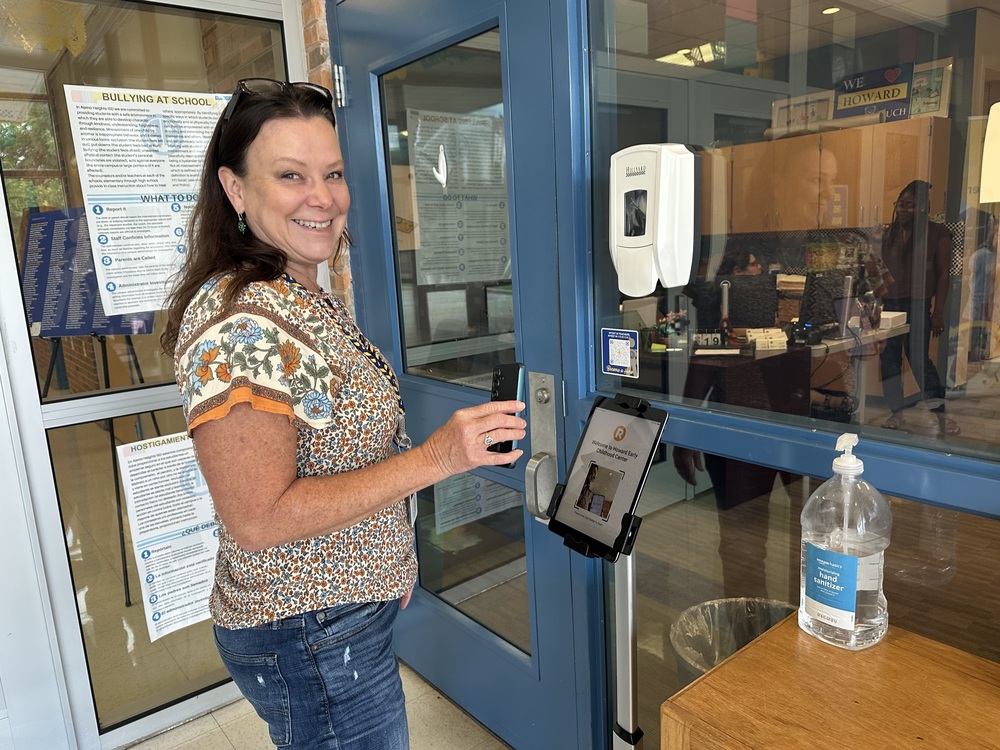
Alamo Heights ISD is introducing the Raptor Safe mobile app to enhance campus security and speed up front-office check-ins. Building on existing Raptor visitor procedures, this app offers a faster way for parents, guardians, and frequent visitors to check-in to our campuses.
By setting up your Raptor Passport in the app, you can skip manual ID entry and get your visitor’s pass quickly when you visit your children’s schools.
What is the Raptor Passport? The Raptor Passport feature inside the Raptor Safe app lets you pre-verify your driver’s license on your phone before arriving. When you reach the school security vestibule, simply scan your personal QR code at the kiosk—your visitor badge will automatically print in the main office.
Key Features:
One-Time Setup: Register once, and your Raptor passport works across every AHISD campus your children attend for the entire school year.
Bilingual Kiosks: On-screen instructions at every school kiosk are available in both English and Spanish.
Enhanced Campus Security: Instant digital checks ensure our schools remain safe without creating bottlenecks.
How to Get Started:
Download the App: Search for Raptor Safe in the App Store (iOS) or Google Play Store (Android).
Set Up Your Profile: Open the app and follow the prompts to scan your driver’s license or state ID.
Save Your QR Code: Once verified, your digital Raptor Passport is ready to go on your mobile device.
Scan & Go: On your next visit, scan your QR code at the vestibule kiosk, collect your printed badge from the office staff, and head right in!
Need assistance? Please reach out to your school's front office staff.